
Ways To Improve Your Study Environment at Home
A well-designed study environment at home can make studying more comfortable, organized, and focused. The right space helps students manage distractions, support learning, and create consistent habits that contribute to academic success. Students can improve focus and productivity by choosing a dedicated study area, using an ergonomic setup, improving lighting, organizing materials, and limiting noise and digital distractions.
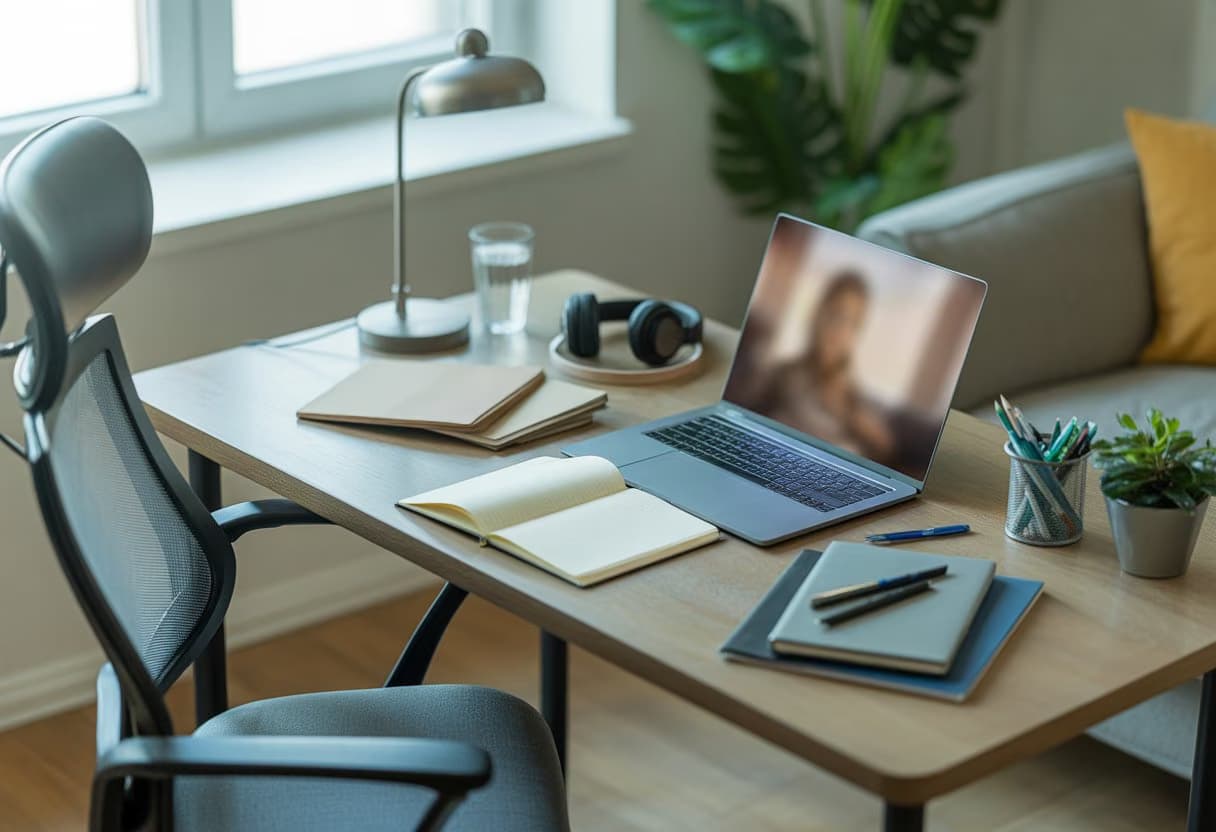
Small changes, such as keeping essential supplies nearby and following a regular study routine, can also make it easier to begin and sustain focused work.
The following strategies explain how to create a practical workspace and use simple tools that support concentration during studying at home.
Choose and Define a Dedicated Study Area
A dedicated study area gives studying a consistent physical setting, while careful placement limits noise and interruptions. The space should support the student’s routine, fit the available home, and remain separate from activities that encourage rest or entertainment.
Select a Quiet, Low-Traffic Location
The best location has limited foot traffic, low noise, and enough room for the required study setup. A corner of a bedroom, home office, or quiet part of a living room can work if household members understand when the area is in use.
The desk should face away from televisions, busy hallways, and windows with distracting activity. If noise cannot be avoided, the student can use earplugs, noise-canceling headphones, or steady background sound at a low volume. They should also keep the phone out of reach and disable nonessential notifications.
Natural light can make the study area more comfortable, but direct glare can strain the eyes. A desk lamp should illuminate books and notes without shining into the student’s eyes or reflecting from a computer screen.
Make a Small Space Work
A productive study space does not require a separate study room. A compact desk, foldable table, or cleared section of a dining table can serve as a learning space when it holds only essential materials.
The student should use vertical storage, a small drawer unit, or labeled containers to keep supplies accessible without crowding the work surface. A laptop stand, wall-mounted shelf, or document holder can preserve desk space and improve posture.
The study area should include a supportive chair, a stable writing surface, adequate lighting, and a power outlet. When the space serves several purposes, a storage box can hold study materials between sessions so the student can recreate the same setup quickly.
Separate Study Time From Rest Time
The student should avoid studying in bed whenever possible because the bed signals sleep and relaxation. A separate chair and desk create a clearer boundary between the study space and the rest of the room.
In a shared room, the student can mark the area with a small mat, lamp, desk organizer, or sign that indicates when studying is in progress. Household members should know the expected quiet periods and avoid unnecessary interruptions during them.
At the end of each session, the student should close study materials, return supplies to their designated places, and remove entertainment devices from the desk. This routine keeps the dedicated study area orderly and makes it easier to begin the next session.
Build a Comfortable, Ergonomic Setup
An ergonomic study area supports good posture, reduces physical strain, and keeps essential equipment within easy reach. A supportive chair, correctly positioned laptop, comfortable temperature, and clean air can help students maintain focus during longer study sessions.
Choose a Supportive Chair and Desk
An ergonomic chair should support the lower back, allow height adjustment, and keep the feet flat on the floor. Its lumbar support should fit the natural curve of the lower spine without pushing the body forward. A comfortable chair should also let the student sit with relaxed shoulders and knees level with, or slightly lower than, the hips.
The desk should provide enough space for a laptop, notebooks, and other study materials without forcing the student to lean forward. Its height should allow the elbows to rest near a 90-degree angle while the shoulders remain relaxed. If the feet do not reach the floor, a footrest can provide stability and improve leg comfort.
Set Up Your Laptop for Good Posture
A laptop screen placed too low often causes the student to bend the neck. Raising the laptop so the top of the screen sits at or slightly below eye level helps maintain proper posture and keeps the head more upright. A stand, sturdy books, or an adjustable riser can provide the necessary height.
When the laptop is elevated, the built-in keyboard may become uncomfortable to use. An external keyboard and mouse allow the student to keep the screen at eye level while positioning the hands near elbow height. The screen should remain about an arm’s length away, and the student should adjust brightness to reduce glare from windows or overhead lights.
Manage Temperature and Air Quality
A comfortable temperature supports sustained concentration. Most students can start with a room temperature between 18°C and 22°C, then adjust it based on clothing, activity, and personal comfort. Direct drafts from fans, heaters, or air conditioners can cause discomfort, so the desk should sit away from strong airflow.
Good air quality also matters in a study area. Opening a window briefly, using a properly maintained ventilation system, or running an air purifier can reduce stale air and airborne particles. The student should keep the workspace free from unnecessary dust, avoid blocking vents, and take short breaks to leave the room and get fresh air when possible.
Improve Lighting and Reduce Eye Strain
A well-lit study area combines natural light, adequate ambient lighting, and focused task lighting. Screen placement, adjustable brightness, and regular breaks can help reduce glare, fatigue, and discomfort during extended screen time.
Use Natural Light Without Screen Glare
The student should place the desk near a window to receive natural light without positioning the screen directly in front of it or directly opposite it. Light entering from the side usually reduces reflections and keeps the display easier to read.
Thin curtains can soften strong sunlight, while blinds can control changing brightness throughout the day. The screen should remain brighter than its surroundings but not so bright that it causes discomfort. Increasing text size and contrast can improve readability without requiring the student to move closer.
The study area should also include adequate room lighting after sunset. A dark room with only a bright screen creates a sharp contrast that may increase visual fatigue.
Add Adjustable Task Lighting
A desk lamp should illuminate books, notebooks, and the keyboard without shining into the student’s eyes or reflecting off the screen. A lamp with an adjustable arm allows the student to direct light precisely where it is needed.
Adjustable brightness helps the student match the lamp to the time of day and the room’s ambient light. A moderate, comfortable level usually works better than the highest setting. For reading and writing, the lamp should sit on the opposite side of the writing hand when possible, which helps prevent shadows.
The student should choose a lamp with a diffused shade and place it slightly behind or beside the screen. This setup provides task lighting while limiting glare and harsh reflections.
Set Screen Break Habits
During long study sessions, the student should follow the 20-20-20 rule: every 20 minutes, they should look at an object about 20 feet away for at least 20 seconds. This gives the eyes a brief change in focusing distance.
Short breaks should also include blinking, stretching, and changing posture. People often blink less while concentrating on screens, which can contribute to dry or tired eyes. The student can keep the screen about an arm’s length away and position its top edge at or slightly below eye level.
If eye pain, persistent headaches, blurred vision, or dizziness continues despite improved lighting and reduced screen strain, the student should arrange an eye examination.
Want a workspace that makes studying easier? Explore more study habits and productivity guides on our Student Resources blog.
Organize Materials and Remove Visual Clutter

An orderly workspace keeps essential study materials accessible while limiting distractions. Clear categories, suitable storage, and a brief daily reset help create a productive study environment at home.
Keep Daily Essentials Within Reach
The student should keep the materials used in most study sessions near the main work area. A desk organizer can hold pens, pencils, highlighters, sticky notes, and a calculator, while a vertical file holder can keep current notebooks, worksheets, and textbooks within easy reach.
Less frequently used items should stay outside the immediate workspace. Separating daily essentials from archived notes, spare stationery, and old assignments reduces clutter without making important materials difficult to find.
A simple access system can improve consistency:
- On the desk: current notebook, writing tools, and calculator
- Beside the desk: textbooks and active folders
- Stored elsewhere: completed work, extra supplies, and reference materials
Use Storage That Fits the Space
Storage solutions should match the room’s size and the student’s study habits. Shelves make textbooks and binders visible without using desk space, while storage boxes can contain examination papers, cables, art supplies, or materials needed only for specific subjects.
Small spaces benefit from vertical storage, under-desk containers, and stackable boxes. Labels help identify each category quickly, and clear containers work well for supplies that the student needs to locate often. Opaque boxes can hide visual clutter but should carry clear labels.
The student should avoid filling every available space. Leaving some shelf and drawer capacity makes it easier to return materials after use and prevents decluttering from becoming a recurring, time-consuming task.
Reset the Desk After Each Session
A short reset at the end of every study session keeps disorder from accumulating. The student should return textbooks to their shelf, place notebooks in the correct folder, discard waste, and move unrelated items away from the desk.
The desk organizer should also receive a quick check. Empty pens, loose papers, and duplicate supplies can be removed, while unfinished work should go into one clearly marked folder or tray.
A consistent reset routine can take only a few minutes:
-
Return each item to its assigned location.
-
File or recycle loose papers.
-
Wipe the work surface if needed.
-
Leave only the materials required for the next task.
Control Noise and Digital Distractions
A suitable sound level, limited notifications, and clear household expectations can reduce interruptions during study sessions. Students should test different settings and use practical controls rather than relying on willpower alone.
Find the Right Sound Level for Concentration
Students should choose a noise level that masks sudden sounds without becoming a new distraction. A quiet room often works best for reading, writing, and complex problem-solving, while low-level ambient sounds may help when household noise remains unavoidable.
Useful options include white noise, soft nature sounds, or instrumental music without lyrics. A coffee shop recording can provide steady background sound, but it may distract students who focus on conversations. They should keep the volume low enough to hear nearby alerts or conversations when necessary.
Noise-canceling headphones can reduce traffic, appliances, and nearby conversations. They do not eliminate every sound, so students should also close doors, move away from busy areas, and silence unnecessary devices. They should take regular breaks from headphones, especially during long sessions.
Block Notifications and Social Media
Digital distractions can interrupt concentration even when a student does not open the device. Before studying, they should silence notifications, activate a focus mode, and place the phone out of reach or in another room.
Website blockers can restrict social media, entertainment sites, and messaging platforms during scheduled study periods. Students can create a short list of approved sites for research and set a specific end time. This approach preserves access to necessary tools while limiting unplanned browsing.
Some students benefit from stopping social media completely during a study block, while others prefer gradual limits. If cold turkey feels impractical, they can begin with 25–50 minute blocks and check messages during planned breaks. They should disable notification previews so incoming content does not trigger curiosity.
Set Boundaries in Shared Homes
Students should tell household members when they plan to study, where they will work, and when they will become available again. A note on the door, a shared calendar, or a simple status message can reduce avoidable interruptions.
They can agree on specific quiet periods, particularly during tests, video classes, or demanding assignments. Family members and roommates should know whether interruptions are acceptable for urgent matters only. Students should also select a backup location, such as a library or quiet coffee shop, when home noise becomes unpredictable.
A consistent routine helps others recognize study time. The student should prepare materials before beginning, keep the workspace separate from entertainment areas when possible, and respond to nonurgent requests after the scheduled session ends.
Use Routines and Tools That Sustain Focus
A reliable study routine gives each session a clear purpose, while timed work periods protect concentration and reduce procrastination. Practical tools, suitable study methods, adequate sleep, and accountability help students maintain progress toward specific academic objectives.
Create a Realistic Study Schedule
A useful study schedule fits the student’s available time, energy, and academic workload. They can begin by listing deadlines, exams, readings, and assignments, then divide each task into smaller actions. For example, an online student in a flexible degree program might schedule two evening sessions for reading and one weekend session for practice problems.
A consistent study routine works best when it uses regular days and times. Students should reserve demanding work for periods when they concentrate well and leave lighter review for lower-energy periods. They should also include sleep, meals, exercise, and buffer time instead of filling every hour with coursework.
A written study plan or digital calendar can show priorities and prevent last-minute decisions. Adult learners who balance employment or family responsibilities may need shorter sessions and adjustable times, but they still benefit from repeating a dependable weekly pattern.
Use Focused Work Blocks and Breaks
Focused work blocks give students a defined period for one task, such as drafting an essay, solving equations, or reviewing lecture notes. The Pomodoro technique uses 25 minutes of work followed by a five-minute break, with a longer break after four cycles. Students can adjust these intervals to 40–50 minutes when assignments require deeper concentration.
During each block, they should silence notifications, keep unrelated tabs closed, and place the phone outside immediate reach. A short task list prevents uncertainty from triggering procrastination. Breaks should include movement, water, or a brief rest rather than activities that make it difficult to resume studying.
A timer, calendar reminder, or focus application can support the routine. Note-taking apps, cloud documents, and task managers also help students keep materials organized, while a study group or accountability partner can provide motivation and encourage them to start on time.
Match Study Methods to Academic Goals
Students should choose methods based on the result they need, not simply on personal preference. For factual knowledge, digital flashcards with spaced repetition can strengthen retention. For complex topics, they can explain concepts in their own words, create comparison tables, or answer practice questions without looking at their notes.
Note-taking apps work well for organizing lectures, sources, and questions, but rereading notes alone often provides limited practice. Students preparing for an exam should use retrieval practice and timed questions; students writing papers should prioritize outlining, source evaluation, drafting, and revision.
Each session should connect to a measurable academic goal, such as completing ten practice problems or explaining three theories. Students can review their results weekly and adjust their study habits, tools, or schedule when progress falls short. A calm, organized workspace can support this process, but the chosen method must match the academic objective.
Ready to build study habits that stick? Find more student productivity and planning advice on the College Hub blog.
Related Articles

How To Build a Study Plan for the Second Half of the Semester
How to build a study plan for the second half of the semester: map every deadline, pick a tool, and keep the plan current week to week.

Staying Motivated in the Weeks After Midterms
Staying motivated in the weeks after midterms, when no deadline is close: reset goals, rebuild routine, and set your own milestones.

How To Use Your Midterm Results To Adjust Your Study Plan
How to use midterm results to adjust your study plan: find the real problems, set recovery goals, rebuild your week, and track progress.